ResourceFile Libray
Version 1.0 (50 kB)

January 2022
Released with R-BASIC 1.0
|
The ResourceFile library gives you access to graphics and texts that are not stored in your program itself, but in a resource file.
To create a resource file you can use the program "Data ResourceMaker" (Download here, German only).

|
GeoRun Libray
Version 1.0 (58 kB)
August 2021
Released with R-BASIC 1.0
|
With the GeoRun library you can contact other GEOS programs from R-BASIC.
You can start them, pass them files and close them.
Furthermore, you can establish a connection between two R-BASIC programs so that they can communicate with each other.
An example for the communication of two R-BASIC programs is included.
|
DocumentTools Libray
Version 1.1 (70 kB)
February 2020
Released shortly after R-BASIC 0.9.9.C
|
The DocumentTools library provides a lot of functions to help you working with documents.
One example are the typically dialog boxes to open a file or to save it with a new name.
The routines of the DocumentTools library works closely together with the DocumentGuardian
object. Using the routines from the DocumentTools library makes it very easy to imple�ment
a document interface, which provides the common functionality. This is explained in detail
in the "Special Topics" manual, volume 3, chapter 15.
The whole document interface code can be included into your program from a R-BASIC menu
("Extras", "Code Sequences", "Document Interface").
In this case, the DocumentTools library is required because it is used by the code,
inserted from this menu.
|
VMFiles Libray
Version 1.0.1 (109 kB)
July 2015
Released with R-BASIC 0.9.2
|
The VMFiles library allows R-BASIC the access to the powerful GEOS VM files. The documents
of all "big" GEOS applications, like GeoDraw, GeoWrite, and R-BASIC itself are VM files.
VM files are versatile and simple to use. An example - you want to develop your own movie database program.
In this case you should use VM files. You don't need to know how many movies finally will be stored
in the database before you start developing. A single command allows you to add or remove a movie title.
If you like to add a movie cover image to your database, you can do this with some few commands.
VM files are designed to store images, too.
The VMFiles library is required for working with VM files.
|
| Application 
The Application object is invisible.
|
This object connects your program to the GEOS system. It is the top parent for all other
generic objects in your program. Every BASIC program must have exactly one Application
object. Usually, the direct child of the Application is a Primary object.
|
| Primary 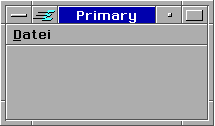
|
Objects of class Primary are the main windows of your program. They have a system menu in
the left upper corner, a minimize button a maximize button and a help button in the right
upper corner. Usually, R-BASIC programs have exactly one Primary object.
|
| Button 
|
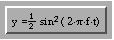
A button is an active area that can be activated by mouse or by keyboard.
Buttons are used for menu items or as single objects.
|
| Group 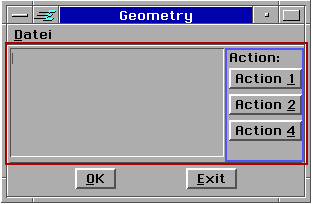
|
Groups are designed to organize its children in the way that you as programmer wish.
The application on the left consists of a group (red, above) and a reply bar (which really is
a group too) below. The red framed group contains a text object on the left side and a (blue
framed) group that contains some action buttons.
|
| Menu 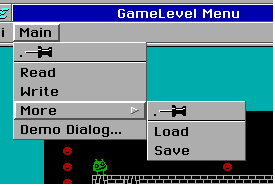
|
Menus are the common way for the user to access different parts of the program functionality.
Menu items are the children of a menu object. Very often, these are buttons. You may create
nested menus by having a menu object to be a child of another menu object, as shown in the
image on the left side. You may also use dialogs to be a menu's child. The system will create
a button as menu item for you, that open the dialog. Any other objects, for example groups or
list objects, are allowed for menu items, too. |
| Dialog 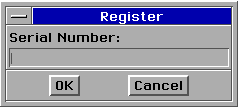
|
Dialogs are independently-displayable interface elements used to display information or other
UI objects. They are used for different purposes. Therefore, a Dialog object has a lot of
features that makes dialog easy to use. On the other hand, dialogs may be configured to do
advanced things.
|
| Number 

|
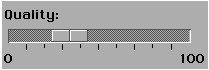
Objects of Number class allow to display or to enter a number. They are simple to use and
very versatile. For example, you may configure the numer of decimal places as well as the
minimum and the maximum value to display. Number objects may be configured to appear as
sliders.
|
| OptionGroup with 3 Option objects 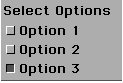
|
The OptionGroup manages a list of Option objects. Every Option object may have the state
"on" or "off".
|
| RadioButtonGroup with 3 RadioButton objects 
|
The RadioButtonGroup manages a list of RadioButton objects that may be selected
individually or in groups. The RadioButtonGroup is a very versatile object. It is often
used when the number of list items is known and does not change while the program is running.
|
| DynamicList 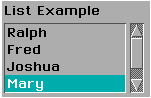
|
The DynamicList is a subclass of the RadioButtonGroup and therefore it inherits all its
capabilities. A DynamicList is often used when the number of list items is initially unknown
or may change while the program is running.
|
View
with a
BitmapContent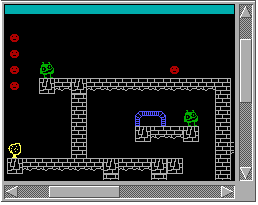
|
The View object class provides a "window" to graphic data (this includes text) you wish to display. The data to be drawn are provided by the views "content" object. This content object just has to know how to draw the data, that's all.
The view, on the other side, handles scrolling (if necessary), scaling and clipping.
It requests its content do draw itself, but the view decides which part of that drawing will
appear on the screen. This is a very powerful concept.
|
|
Objects of class BitmapContent are "content" objects of a View object. They manage an editable bitmap. The object automatically creates its bitmap. You may write (draw) text or graphics to the bitmap of the BitmapContent object.
BitmapContent Objects may react on keyboard and mouse events by calling the aproriate handlers. It also may work with the Clipboard.
|
VisContent
with some VisObj objects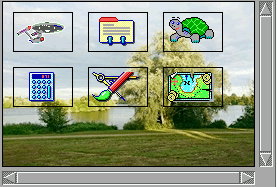
|
Objects of the VisContent class are used to output graphics in a scalable and scrollable View.
They can also respond to keyboard and mouse input.
The VisContent object either provides the graphics itself, or it uses children
(of the VisObj class), which in turn can output graphics and respond to keyboard and mouse.
The arrangement of VisObj objects can be done conveniently automatic or manual with full control.
The picture on the left shows a VisContent that displays a background graphic on which the VisObj objects are drawn.
|
Objects of the VisObj class display user-defined graphics as children of a VisContent.
They can interact with the mouse and keyboard. Furthermore, they can have children
(further VisObj objects) themselves.
R-BASIC supports the positioning of VisObj objects with the mouse (dragging) very comfortably.
|
| GenContent 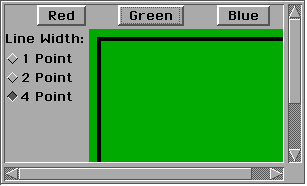
|
Objects of GenContent class are used to show generic class objects like buttons in a
scrollable View. For example the "Preferences" application uses this mechanism.
GenContent objects may have any kind of generic class objects as its children. In the image
on the left side this are three Buttons, a RadioButtonGroup and a Canvas object.
|
| ViewControl 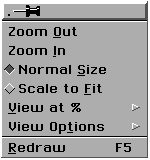
|
The ViewControl object class provides the UI for the "View" menu. This UI basically controls the scale factor
and some other features of controlled View objects.
When the View is configured to work with a ViewControl object all interaction between View and ViewControl takes place automatically.
|
| Canvas 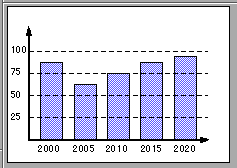
|
Canvas objects display a graphic by calling its OnDraw handler. They also may work in a very fast
mode, called bufferd mode. Canvas objects may react on mouse events. You have to write mouse
handlers for this purpose. Additionally, Canvas objects may work with the clipboard.
|
| Image 
|
An Image object displays a graphic which is stored in a graphics file or in the PictureList.
You have nothing to do but to specify the graphic to display. The object may also play
animations from a file. You may specify if the animation will run automatically or on request.
Supported graphic formats:
- Graphic files: JPG, BMP, ICO, PCX, GIF, TGA, RLE, DIB, SCR (BreadBox SplashScreen)
- VM files: GEOS Background files, Resource-Maker files (Bitmaps and GStrings)
- Animations: GIF, FLC, FLI, BreadBox QuickCam Format
|
|
Memo 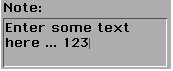
InputLine
VisText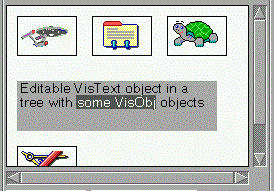
LargeText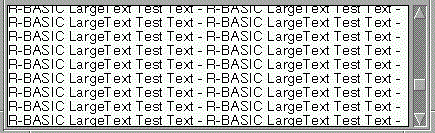
|
The R-BASIC text objects allow simple text input, without requiring extensive support in
your application. Text objects handle keyboard and mouse events automatically and will create
scroll bars if they are needed. They know if the text is modified by the user and may send out
messages for different events.
All Text objects can work with the clipboard.
In R-BASIC there are four text object classes available.
- The class Memo provides a
simple text editor object. It allows word wrapping and multiple paragraphs, created when the
user hits the enter key.
- The second class, InputLine class, is
designed to accept the input of single line texts, like file names.
- Objects of the VisText class must be used like a VisObj object in a visual tree.
- The advantage of the LargeText objects is that they can store any amount of text (theoretically up to 2 GByte),
while the other text objects are limited to 4 kByte.
|
| FileSelector 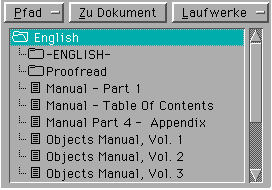
|
A file selector provides a user interface, which is recommended to select a file or a directory. The file selector sends a notification message as soon as a user clicks to an entry, so the programmer can manage the further steps.
In the most cases the selected file will just be opened. The navigation to drives and sub directories handles the FileSelector by itself.
Which file will be shown in the list can be controlled for example by the file token or by a file mask.
|
| ColorSelector 
|
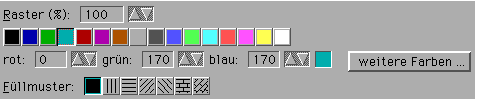
A ColorSelector provides the UI needed to select a color, a shaded value or a fill pattern.
The programmer can select which of these features are displayed to the user. By default, only the index colors are available,
as shown in the picture on the left.
|
| Display and DisplayGroup 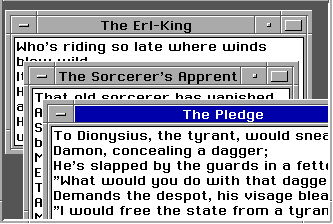
|
Object of the class Display are the "windows" in which all big applications like GeoWrite
or R-BASIC display its data. For this reason, Display objects contain other UI objects
to display the content. In the image to the left this is a Memo object.
Display objects have to be children of a DisplayGroup object.
A DisplayGroup provides the visible area for the Display objects. The image on the
lefts side contains three Display in a DisplayGroup.
|
| DisplayControl 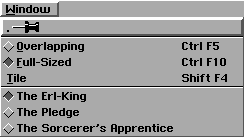
|
The DisplayControl provides the UI to allow the user to interact with the DisplayGroup object.
It also contains al list of all available Displays. As shown in the image on the left,
a DisplayControl is usually a child of the "Window" menu.
|
| DocumentGuardian
The DocumentGuardian object is invisible.
|
A lot of programs work with documents. Objects of class DocumentGuardian help the programmer to manage documents.
They store important common information about a document such as the file name, the path, the file type, the token and the FILE handle of the open document file.
DocumentGuardian objects works closely together with the library "DocumentTools". For example, this library provides some dialog boxes such as "Open" and "Save as".
DocumentGuardian objects can also work with the "VMFiles" library. This library allows access to the powerfull "virtual memory" (VM) files, which are used as documents by all big GEOS applications.
|
|
PrintControl
Th PrintControl object itself is invisible. It provides the "Print" dialog box.
|
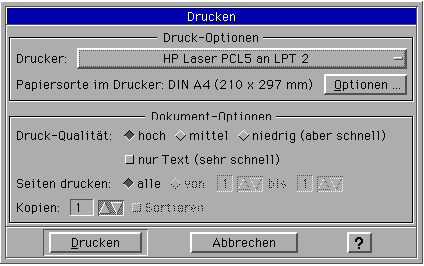 PrintControl: the "Print" dilaog box
If you wish to print from a R-BASIC program, you have to include a
PrintControl object. The PrintControl object provides the "Print" dialog box and
manages all tasks, required for printing.
|
|
| PageSizeControl 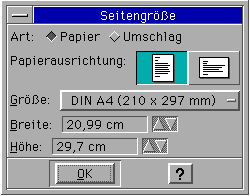
|
When the user should be allowed to select or change the size of a document,
you should include a PageSizeControl object. This object provides all UI, required to
select or change the page size, the paper format or the margins.
|
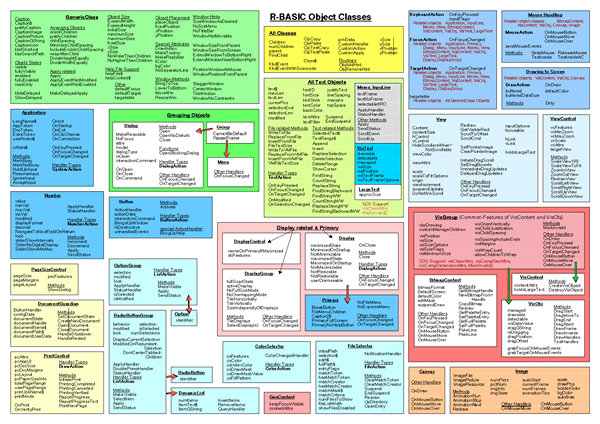
Click on the images for full size view. This Overviews comes from the R-BASIC\Documents folder (GeoDraw file).
 Hier finden Sie eine deutsche Version dieser Seite.


 (DOS Program)


 r*bettsteller#web*de ---- If you are not a robot replace * by . (dot) and # by @